
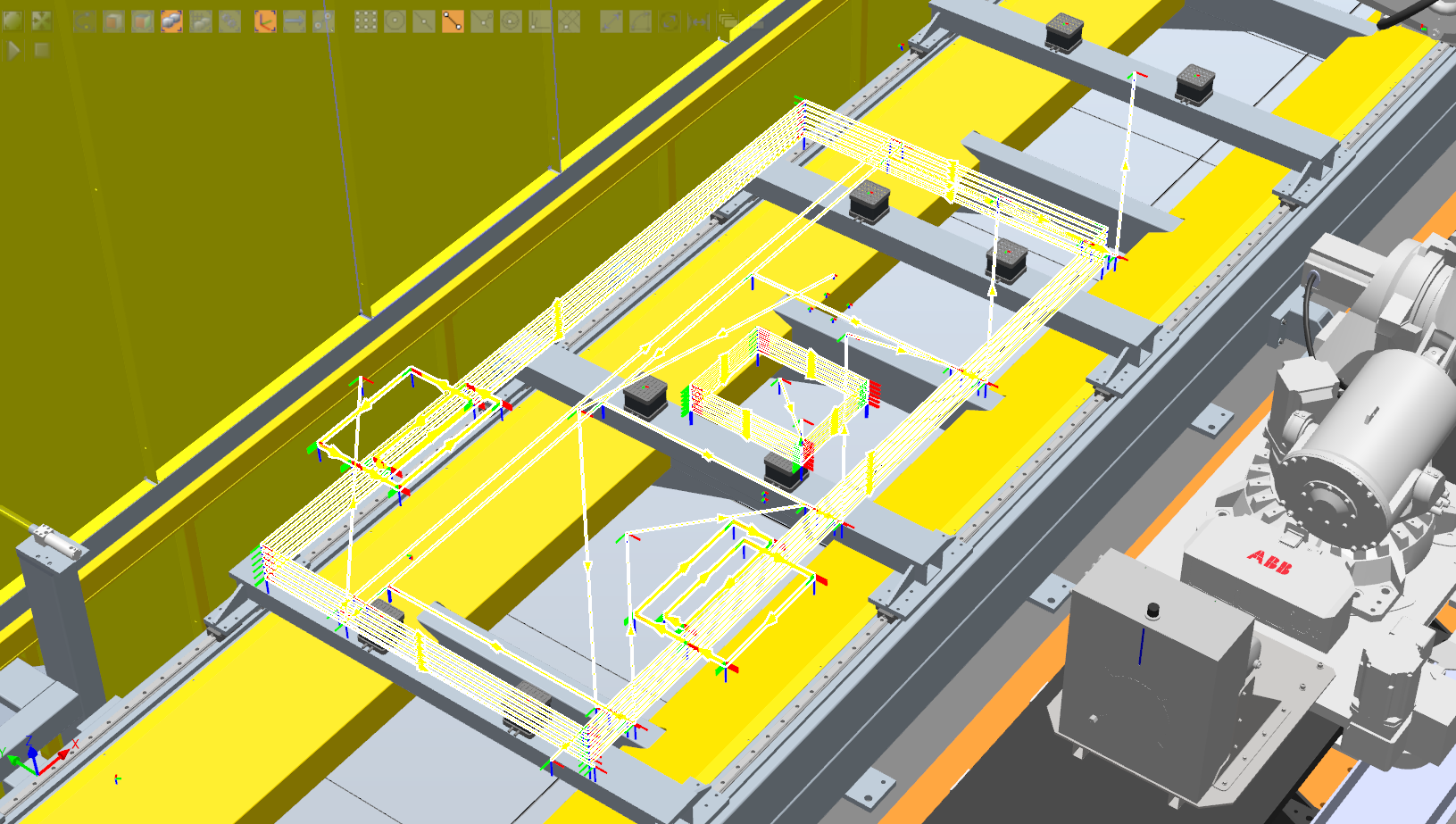
path preview plugin
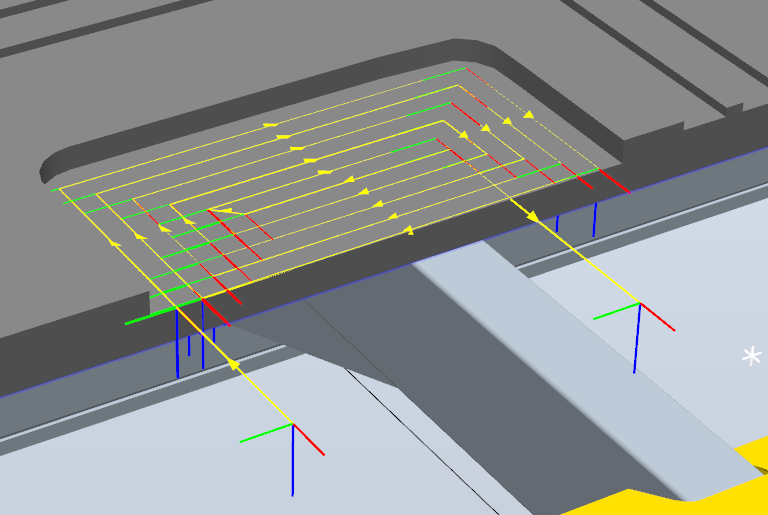
Enhancing robotic simulation workflows through custom visualization tools
Project Overview
At Intelligent City, while working with ABB RobotStudio, we identified a limitation in the visualization of relative robot movement commands. In standard RobotStudio workflows, certain relative movement instructions do not generate visible planes or paths, making it difficult for programmers and engineers to preview robot trajectories and validate motion logic before execution.
To address this, I developed a custom RobotStudio plugin using C# that enabled visualization of relative movement paths and reference planes directly within the simulation environment.
The plugin was developed in collaboration with an ABB RobotStudio developer, who supported the initial setup and integration process. The tool improved the ability to review, debug, and validate robotic programs by providing visual feedback for movements that were previously difficult to interpret.
The Challenge
Robot programs often rely on relative movement commands where tool paths are calculated dynamically based on reference frames, offsets, or programmed logic.
However, these movements are not always represented visually within RobotStudio, creating challenges for understanding intended robot motion.
The challenge was to create a visualization layer that could interpret robot movement logic and provide a clear preview of the expected path.
My Contribution
Custom RobotStudio Visualization Plugin
Developed a custom plugin in C# using Visual Studio that extended ABB RobotStudio capabilities by providing visualization support for relative robot movements.
Key features included:
Generated visual planes representing relative movement frames
Previewed robot paths that were not natively displayed in RobotStudio
Improved visibility of complex movement sequences
Supported debugging and validation of robotic programs before deployment
Integrated with existing RobotStudio simulation workflows
Technologies
C#
ABB Robot Studio